macOS dialogue conform app · in development
In development
Dialogue conform, from the AAF to a Pro Tools session ready to edit.
Conform Deck does the work that comes before dialogue editing: it reads the picture editor’s AAF or EDL, relinks the rushes, spots boom and lav mics, lays the tracks out as a checkerboard and sends the result to Pro Tools, or to a sorted AAF. You validate every step, you stay in control.
The problem
A picture editor’s AAF rarely arrives ready to cut: embedded or missing media, doubtful timecode, no role information, tracks in picture-edit order. Before laying a single fade, the sound editor spends hours relinking rushes, sorting tracks and splitting boom and lav by hand.
Conform Deck automates that preparation and leaves you to validate what matters: the relink, the roles, the layout.
What it does
Source: import and check
- Import an AAF, a CMX3600 EDL or an XML.
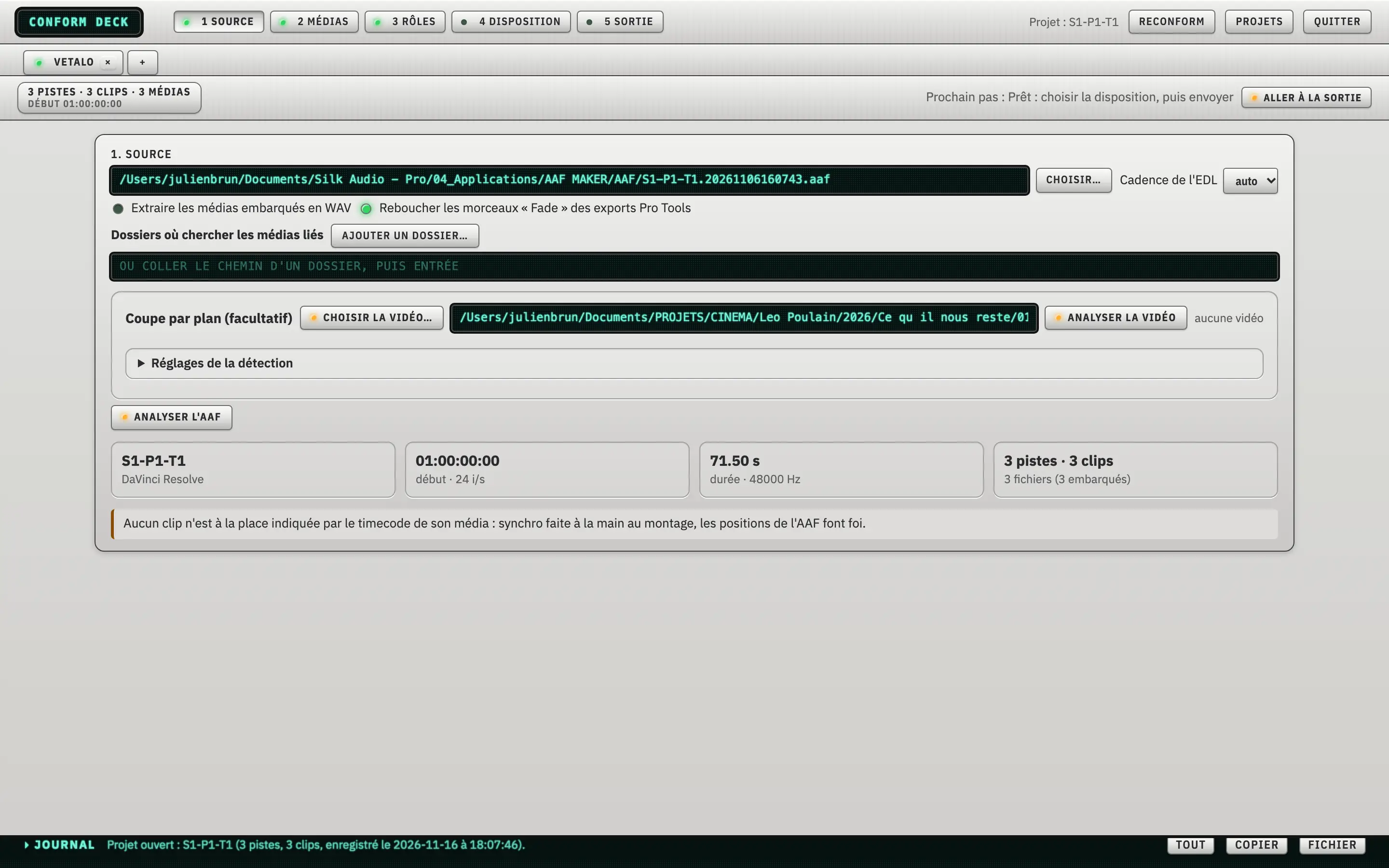
- An inventory of the edit: tracks, clips, media, timeline start, frame rate and duration.
- A timecode consistency check, with a warning when clips are not at their original position.
- Embedded media extracted to WAV, and Pro Tools “Fade” export pieces plugged.
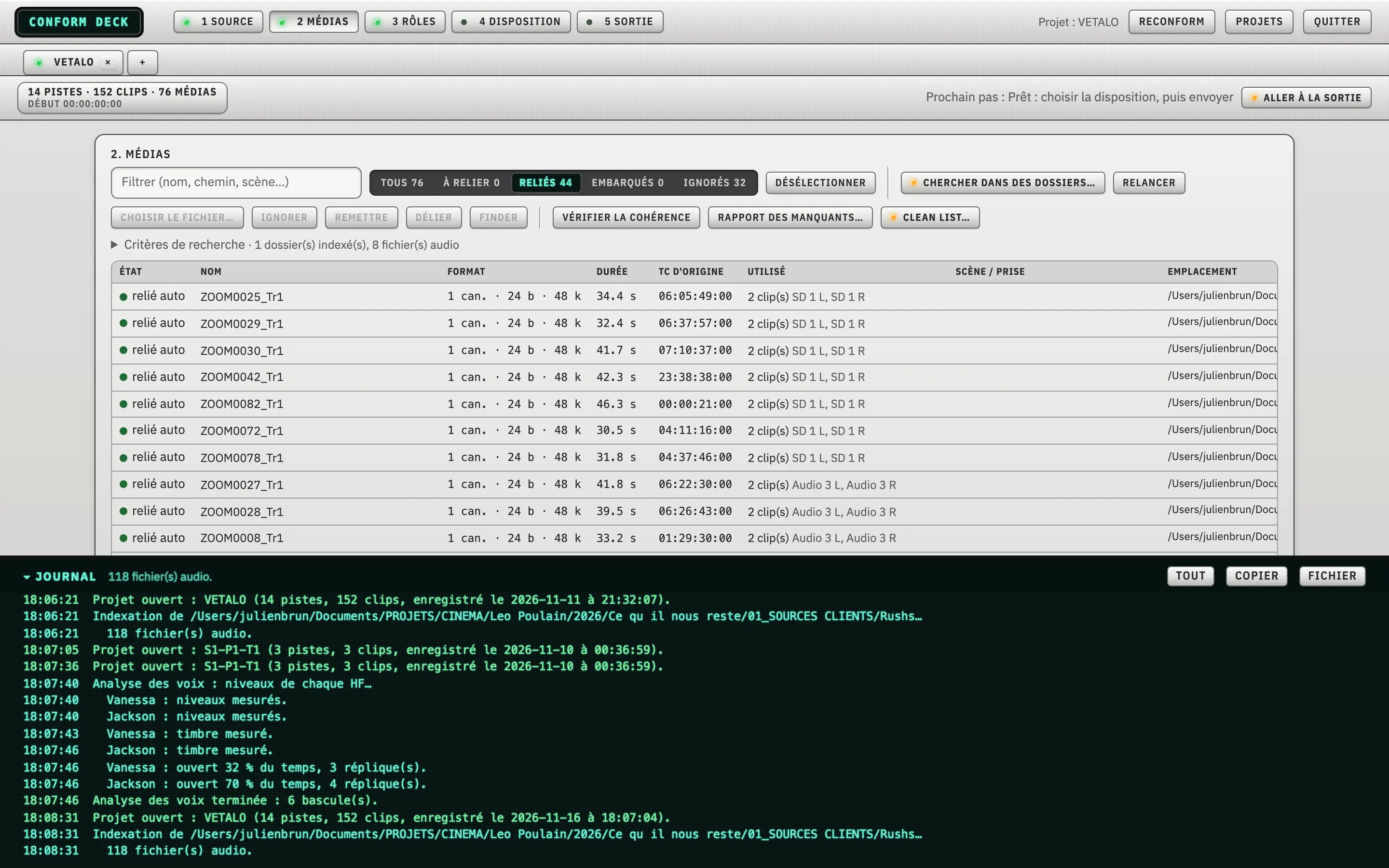
Media: relink the rushes
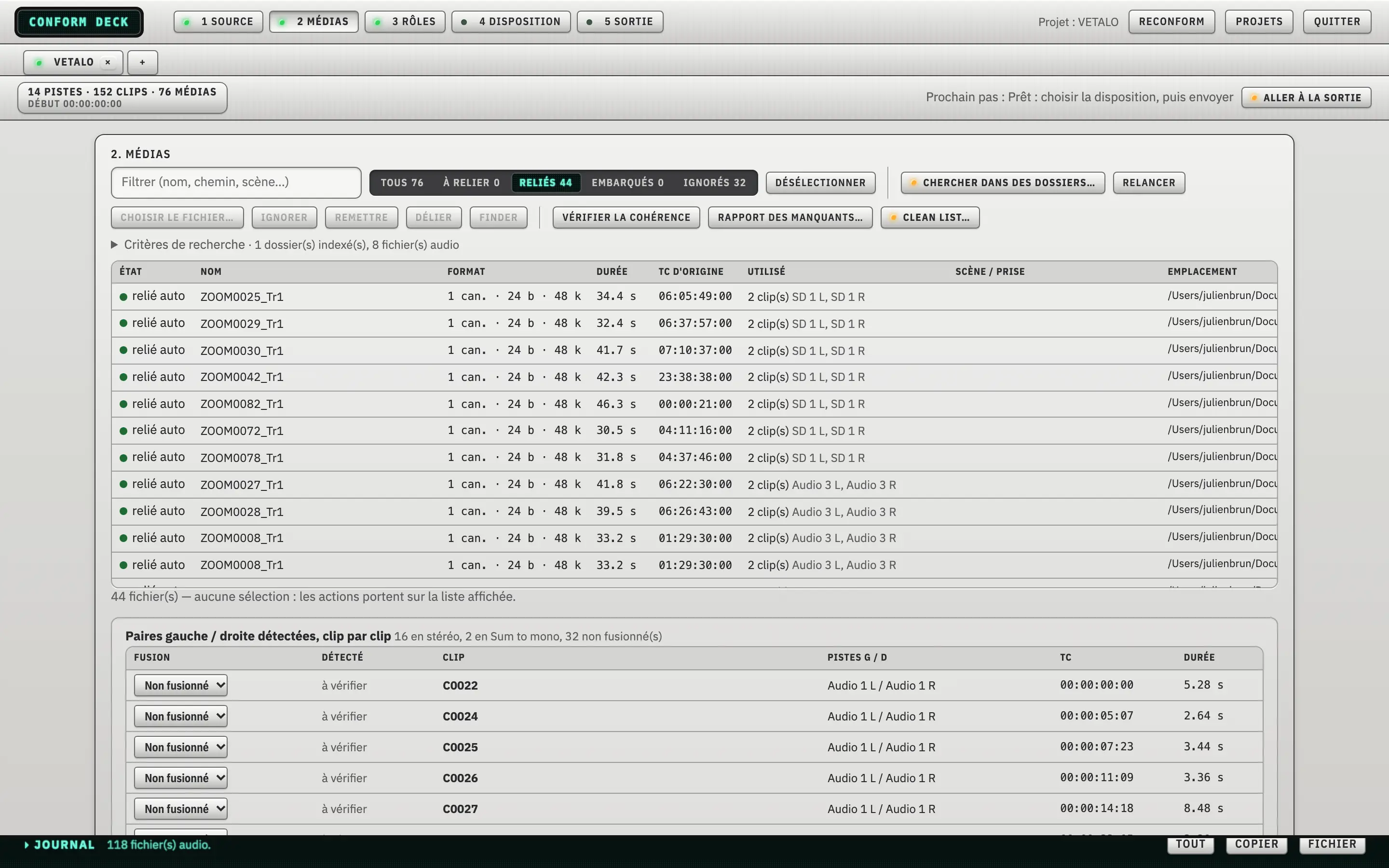
- Automatic relink to your rushes folders, with filters All, To relink, Linked, Embedded and Ignored.
- Detection of left / right stereo pairs, with a merge choice (stereo, sum to mono, not merged).
- Each file’s original timecode and the clips that use it.
- A missing media report and a consistency check.
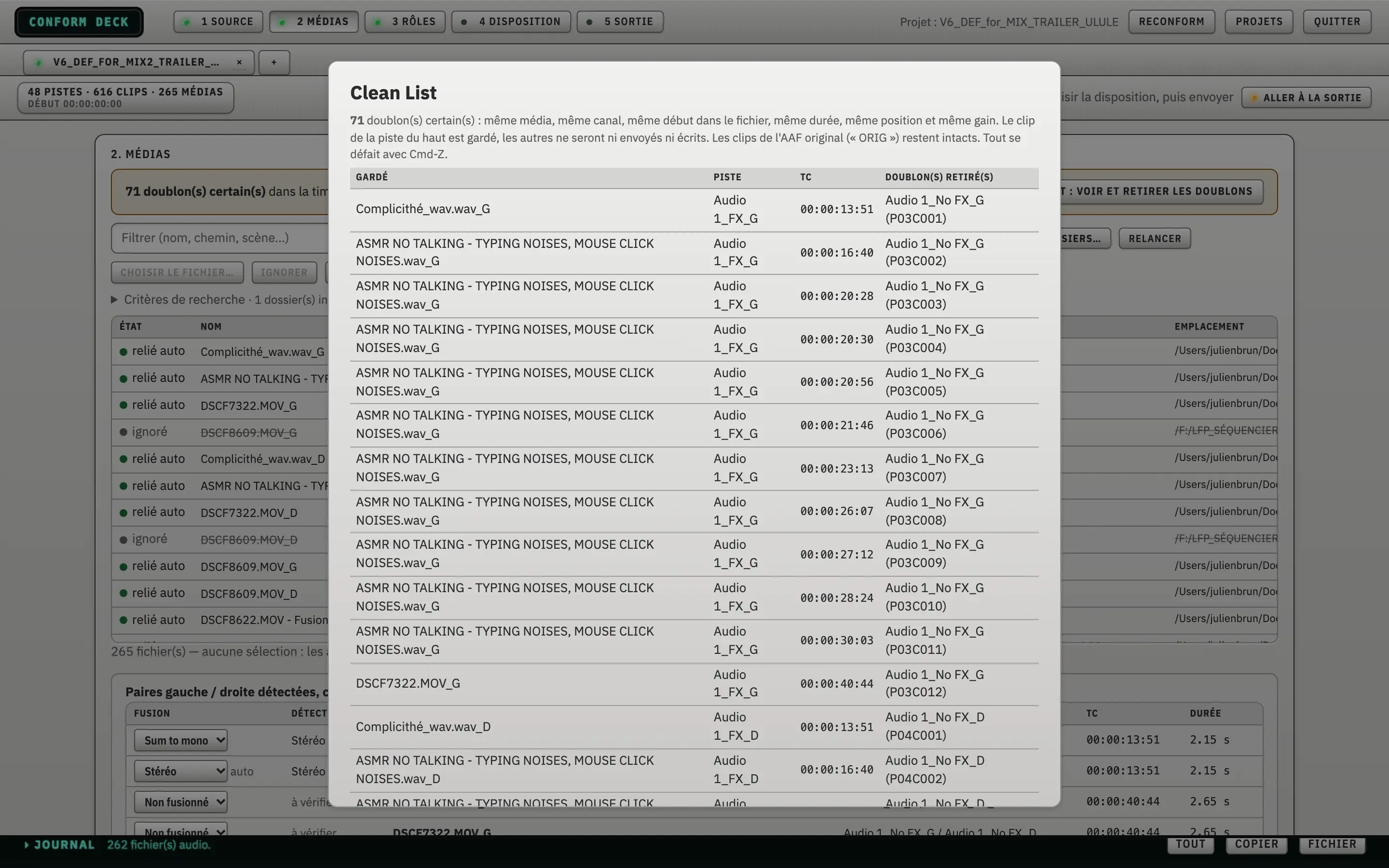
- Clean List: detection of certain duplicates (same media, same channel, same start, same length, same position and same gain). The top-most track is kept, the others are neither sent nor written. Clips in the original AAF stay untouched, and Cmd-Z undoes it.
Roles: boom, lav, camera
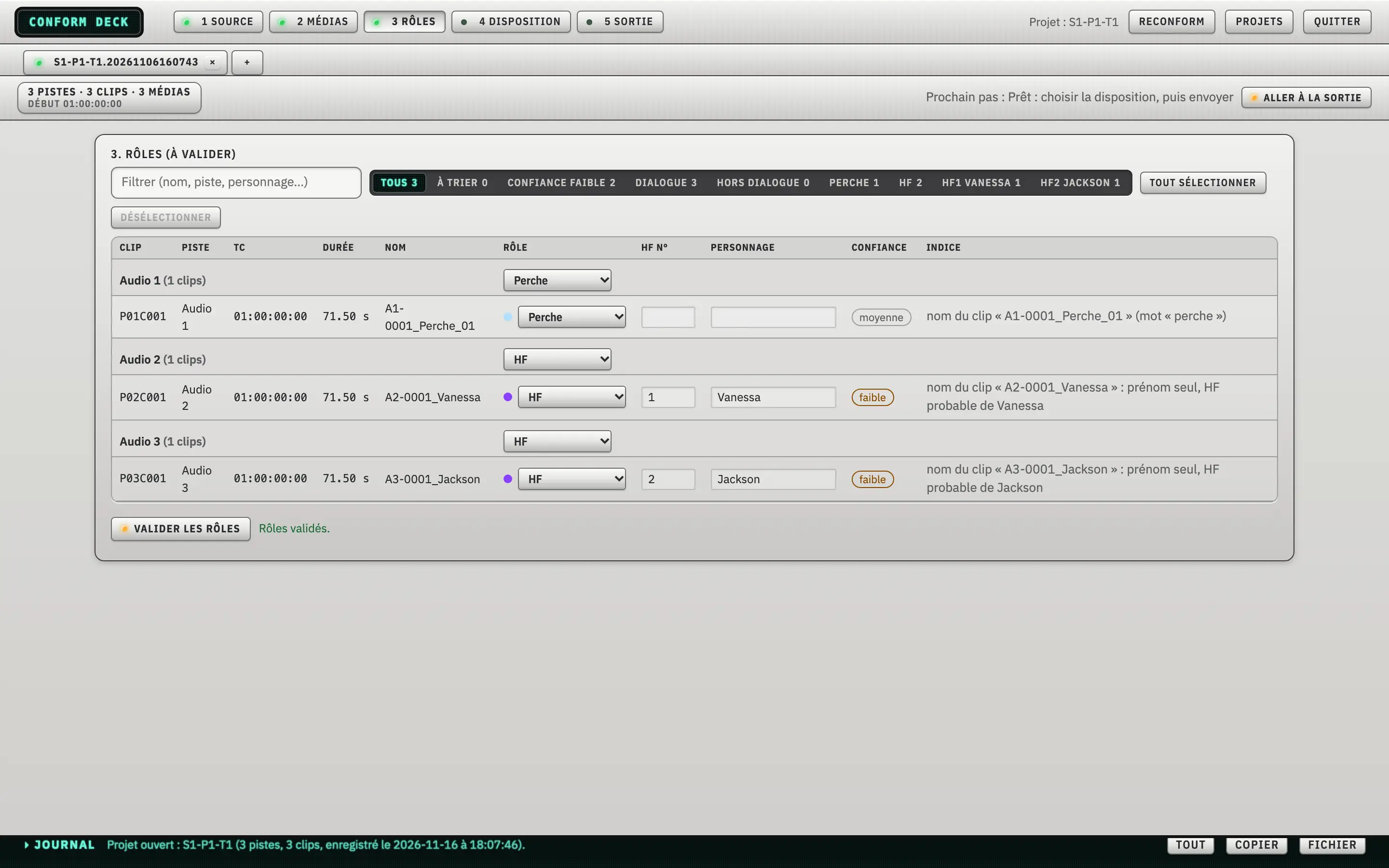
- Detection of boom, lav and camera roles from metadata, then clip name, then audio analysis.
- A lav number and a character attached to each mic.
- A confidence level and the clue behind each decision. Nothing is applied without your validation.
Layout: the checkerboard
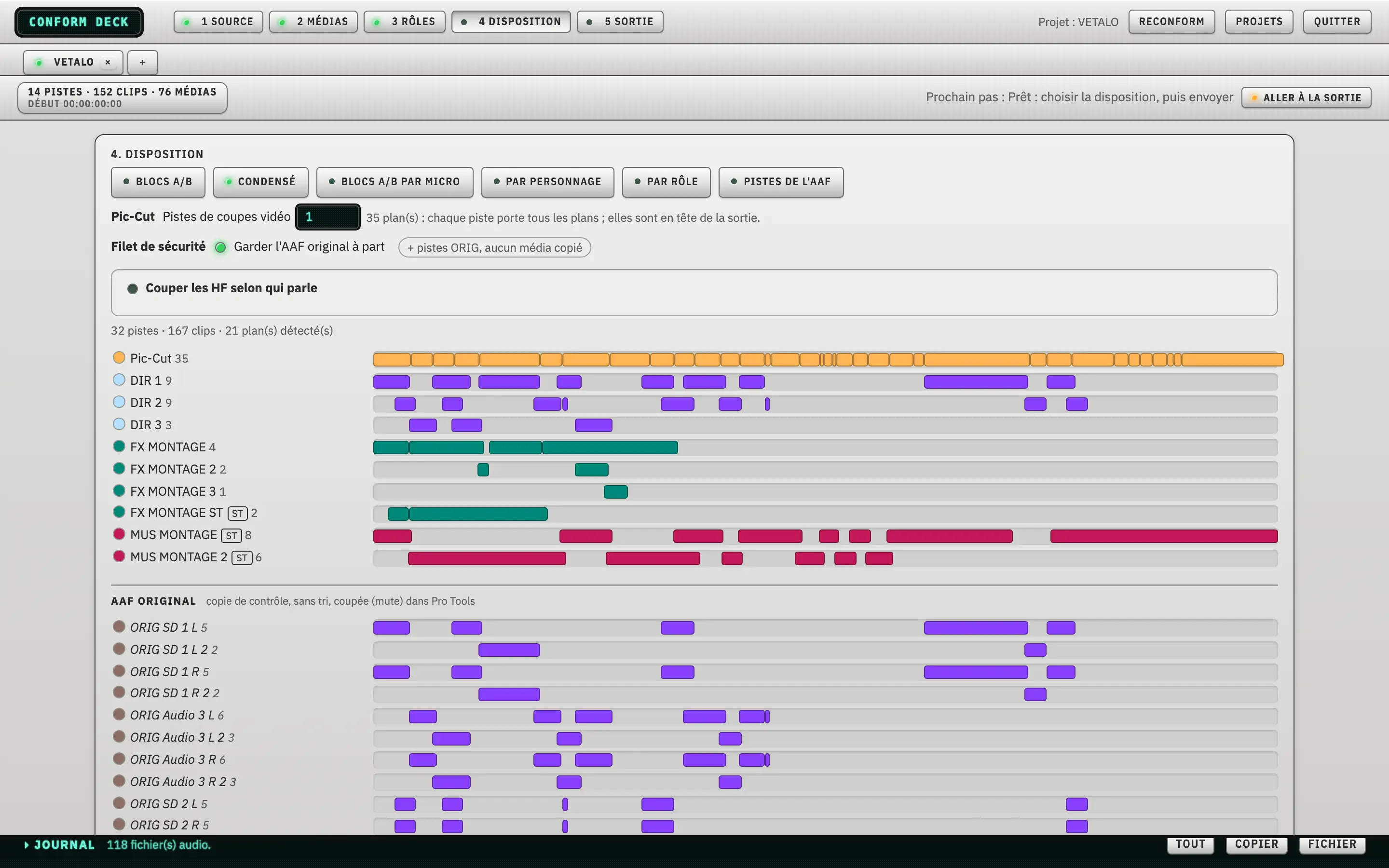
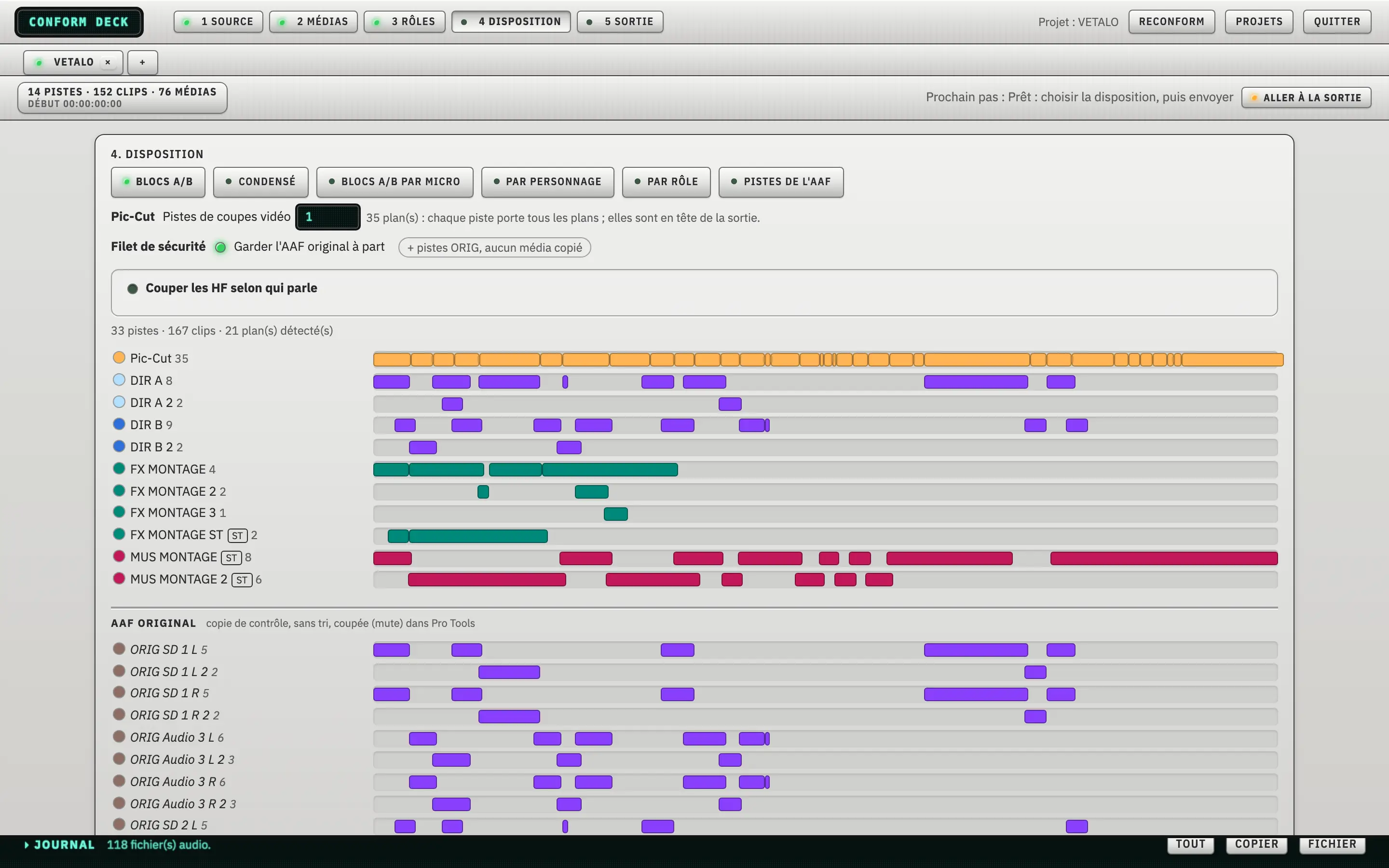
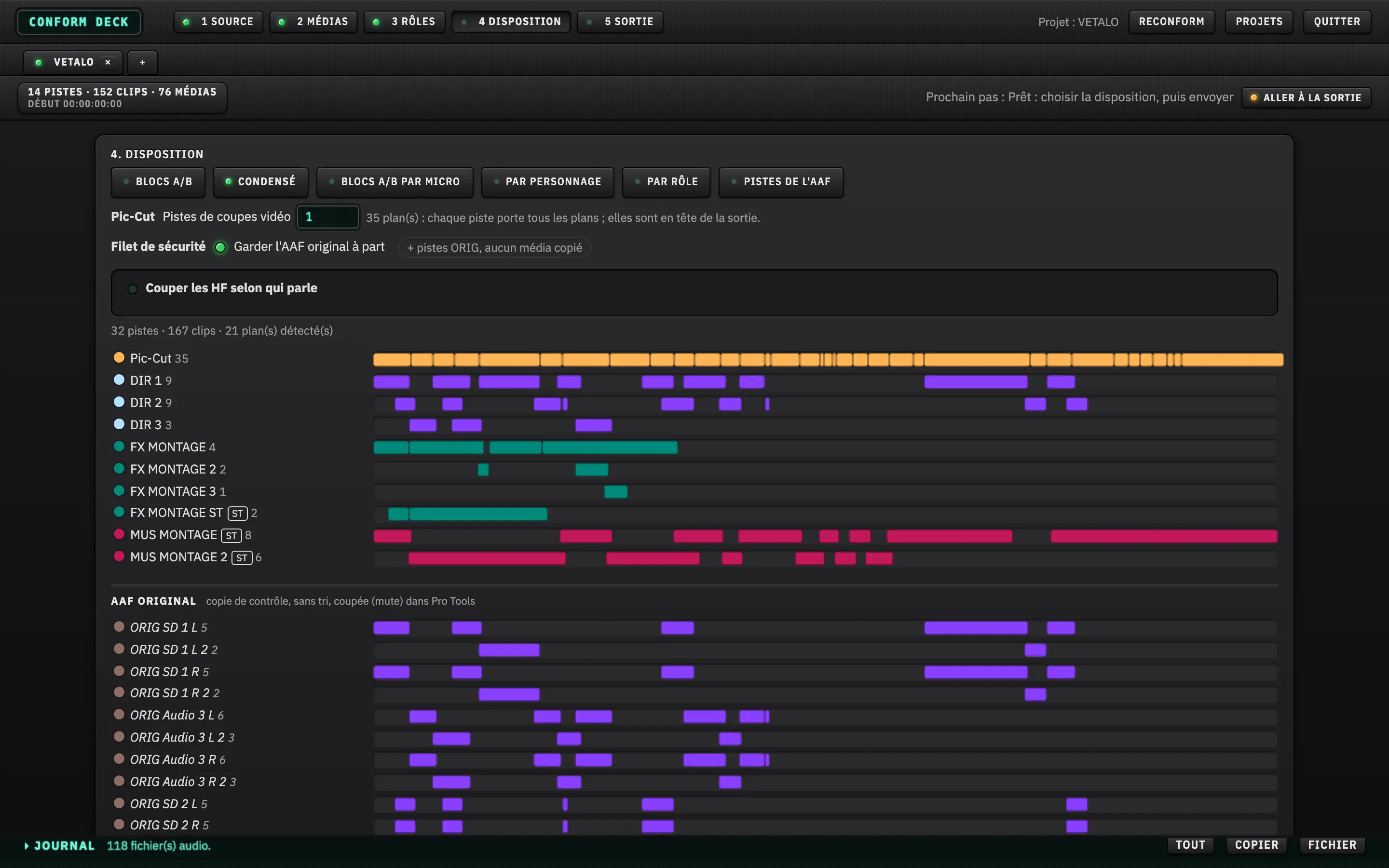
- A/B blocks, Condensed mode, A/B blocks per mic, per character or per role, or the AAF’s own tracks.
- Pic-Cut picture tracks at the top of the session: each track carries every shot, in the number you choose.
- Safety net: the original AAF is kept apart, as ORIG tracks with no media copied.
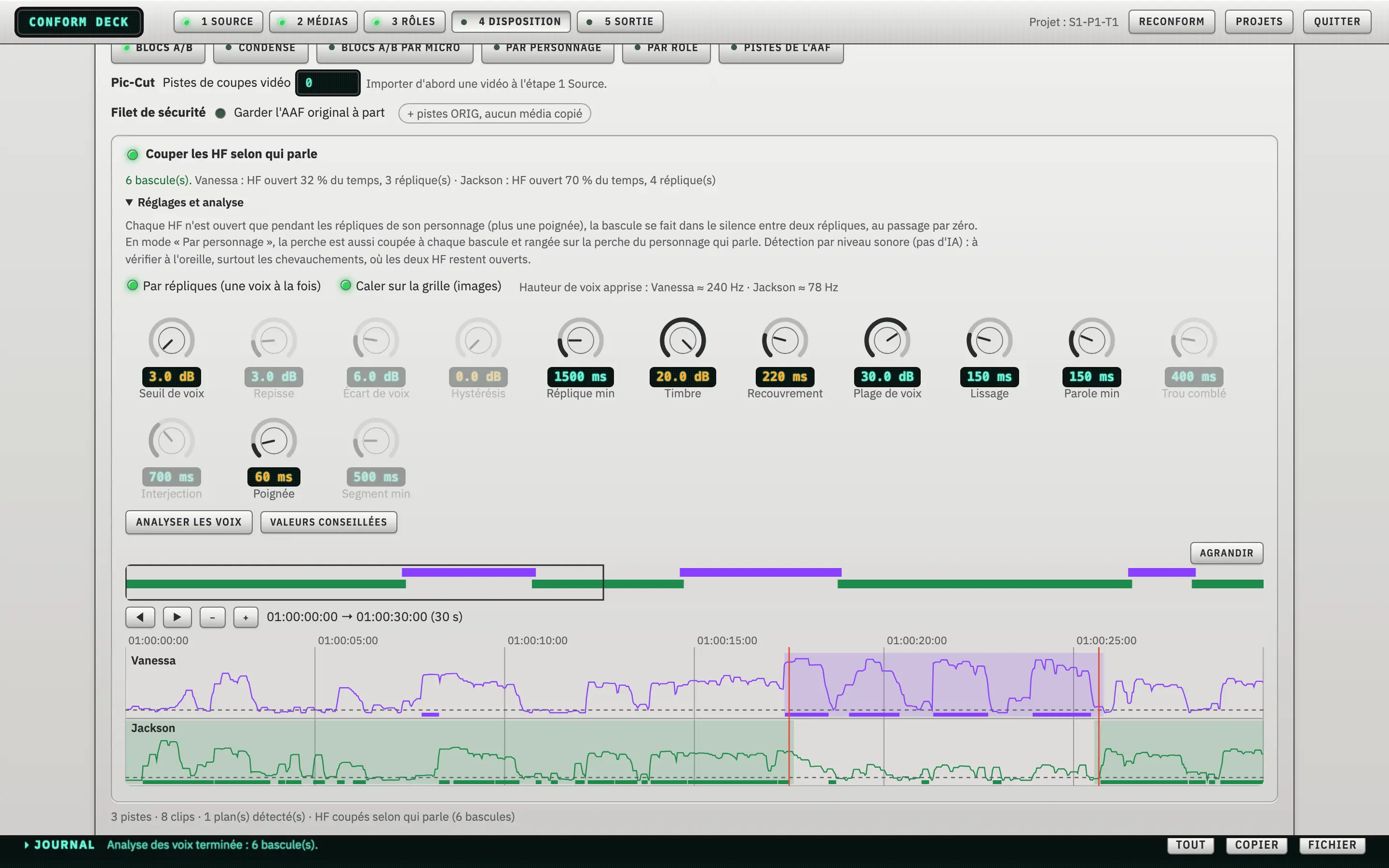
- Cut the lavs by who is speaking: switching settings (threshold, minimum line, timbre, overlap, smoothing), snap to the picture grid and per-character curves to check by eye.
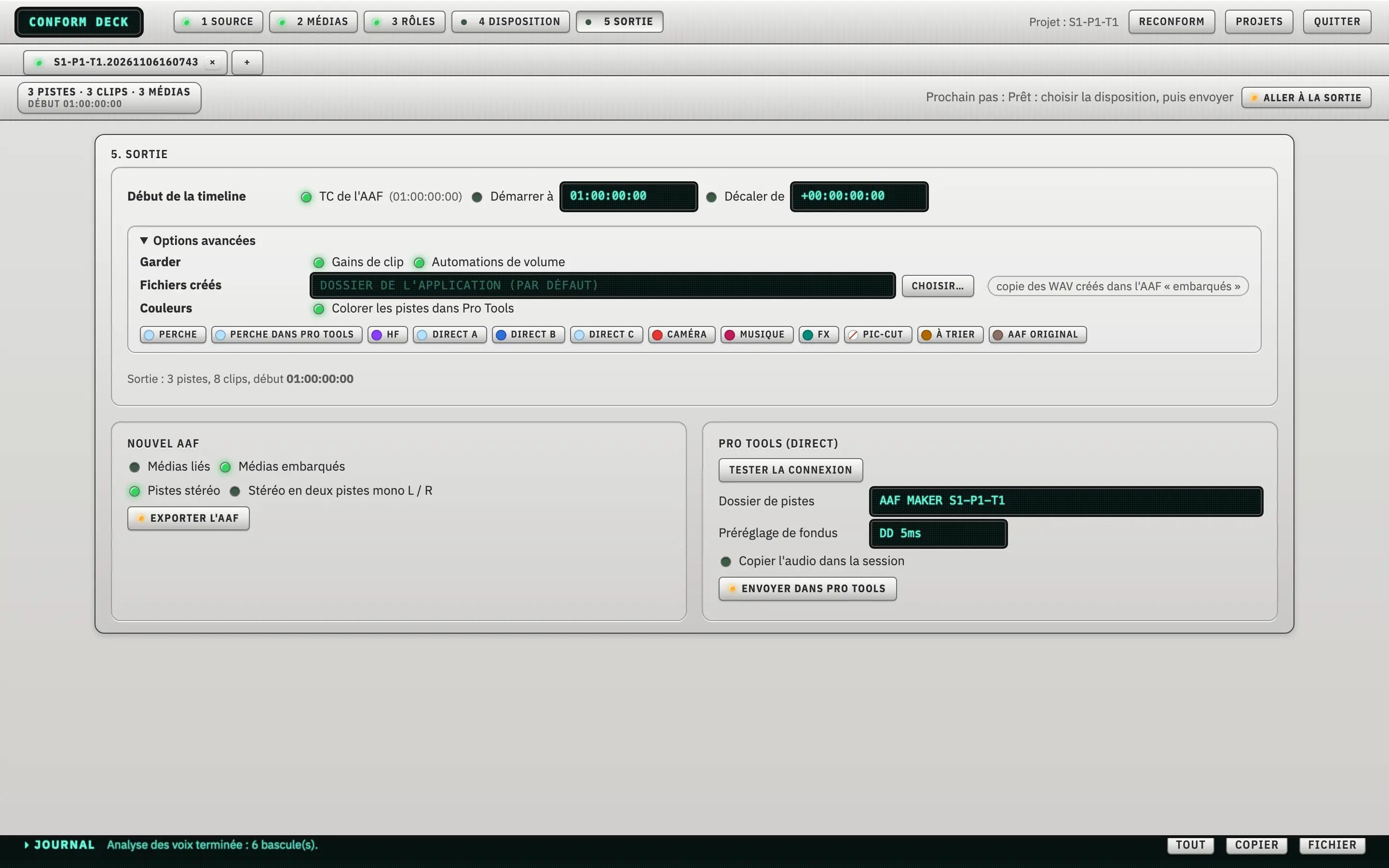
Output: Pro Tools or AAF
- Direct send to Pro Tools, with a track folder, a fade preset and audio copied into the session.
- Or export a sorted AAF, linked or embedded media, stereo tracks or two mono L/R tracks.
- Adjustable start timecode, clip gain and volume automation kept as you choose, colours by role.
Reconform: from V1 to V2
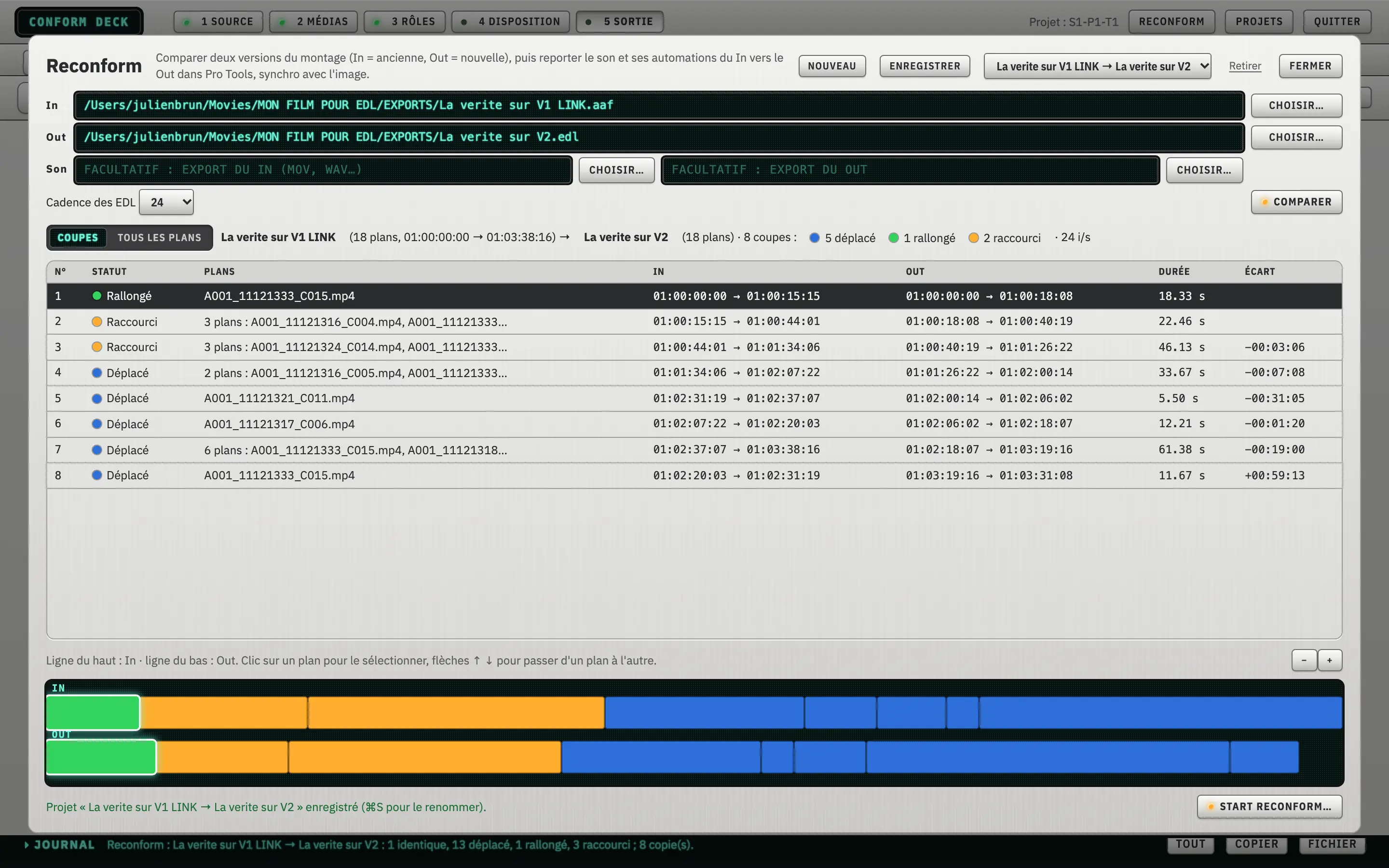
- Comparison of two versions of the picture edit (In = old, Out = new).
- A list of cuts with their status (extended, shortened, moved) and an In / Out strip to see it at a glance.
- The session is rebuilt to carry the sound and automation from In onto Out, in sync with picture.
Day to day
- Multiple projects in tabs, recent projects.
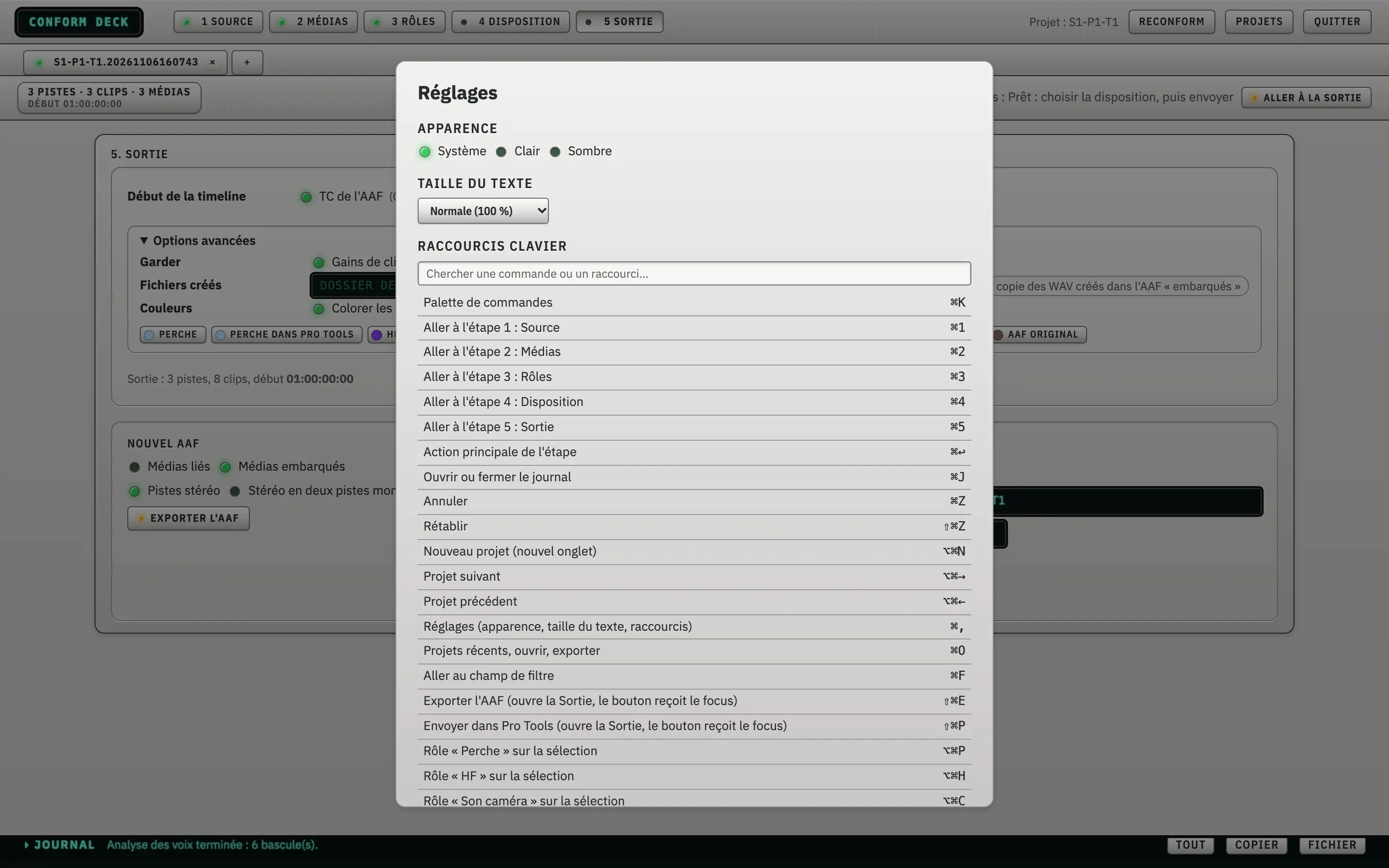
- Keyboard shortcuts for everything, with a command palette (⌘K).
- A log of what the app does, to copy or save.
How it works
- Source: open the AAF or EDL, check the summary.
- Media: relink the rushes, clean the duplicates.
- Roles: validate boom, lavs and characters.
- Layout: pick the checkerboard, set the lav cuts.
- Output: send to Pro Tools or export a sorted AAF.
Light or dark
Light mode (brushed aluminium), dark mode (black aluminium) or follow the system: your choice.
Who it is for
- Dialogue editors who receive AAFs to prepare.
- Mixers who want a clean session as soon as it opens.
- Post-production studios, for a preparation that repeats from one project to the next.
Requirements
macOS, Apple Silicon · a recent version of Pro Tools.
Where it stands
Conform Deck is in development. The captures on this page show the current app, on test projects.
The release date and the price are not fixed yet.
To know when it is available, write to me: I will let you know.
Questions
Is it available?
Not yet. The app is in development and no download is open.
What does it work with?
It prepares sessions for Pro Tools, by direct send or by AAF. It reads AAFs, CMX3600 EDLs and edit XMLs, including those from DaVinci Resolve.
What do I need?
An Apple Silicon Mac and a recent version of Pro Tools.
How much will it cost?
The price is not fixed yet.
Does it change my original edit?
No. The result is a new Pro Tools session or a new AAF, and the original AAF is kept apart (ORIG tracks) for checking.
Get notified
Write to me and I will tell you when it is out. No mailing list: a simple e-mail.